
So you're looking to move your existing league over to Keeper? Great call Commish!
We make it super easy to migrate all of your existing teams and playing lists across via the steps below:
Step 1 - Create a new League
- Click Create a new league in the account dropdown in the top right of the screen
- Enter your league name and some basic keeper and scoring settings, then hit "Create League"
Your league is now created!
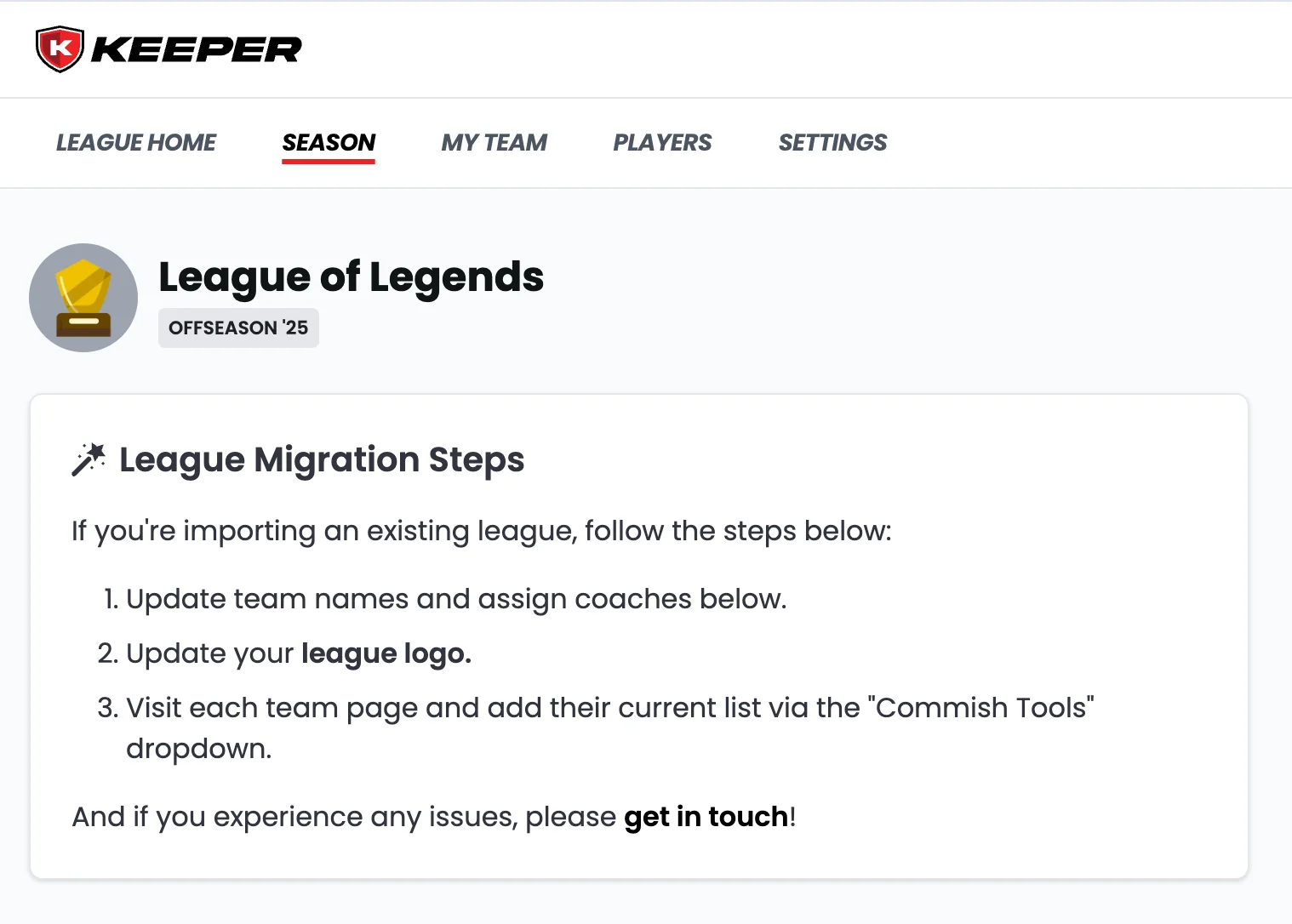
Step 2 - Update Team Names and Coaches
We've created your teams already, so you don't need to wait for coaches to join ✅
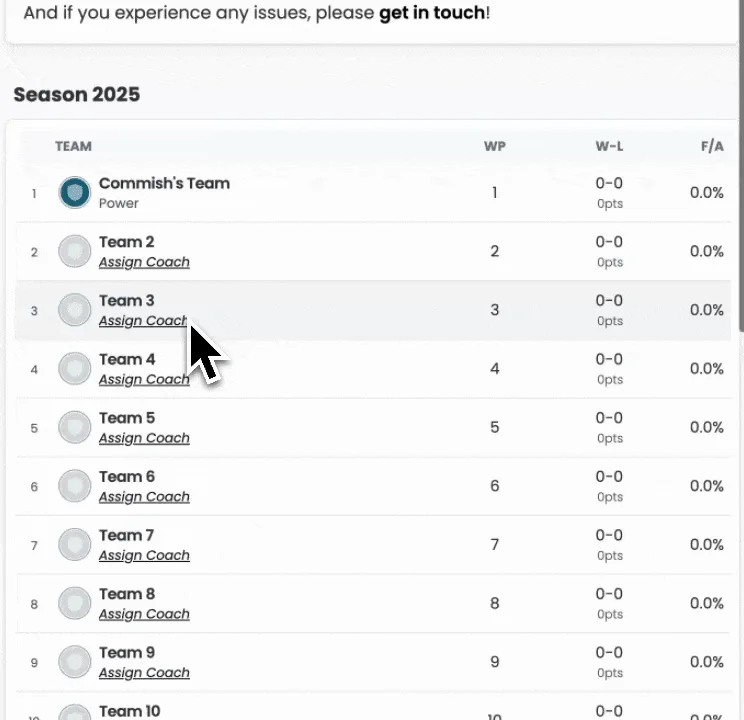
Update the default names to match your existing teams by:
- Click "Assign Coach" under each team.
- Update the team name and enter the coach's details.
- Copy the generated invite link and share with the coach so they can join.
- Repeat for each team.
You can send invites right away, or come back to this once you've finished the remaining setup steps.
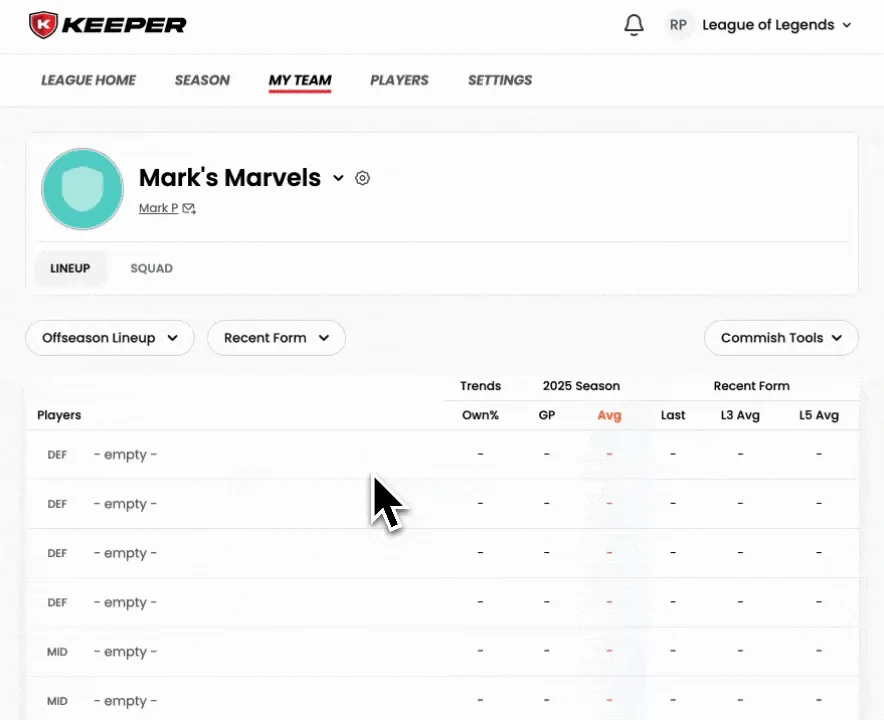
Step 3 - Import Existing Team Lists
If you're moving over a league where teams have existing players, the last step is to import these players.
To do this, simply navigate to each team page and go to Commish Tools > Bulk Add Players.
It only takes ~1-2 minutes per team and you can use this tool at any time.
Step 4 - Configure League Settings
The hard part is done! Now you're free to go through the vast array of league settings to make sure everything matches your existing league.
We pride ourselves on being the most customisable platform available and confident all settings can be re-created, so if you can't find anything get in touch and we'll point you in the right direction.
Step 5 - Start Playing
You're done! Time to send out those invite links so your coaches can start to tinker with their lineups and start trading.
All the best for the season ahead and thanks for joining us on the journey to revolutionise draft fantasy 🤝